
Appearance
Manage orders
Orders brings together what needs confirming, how it will be paid and who is packing or delivering it.
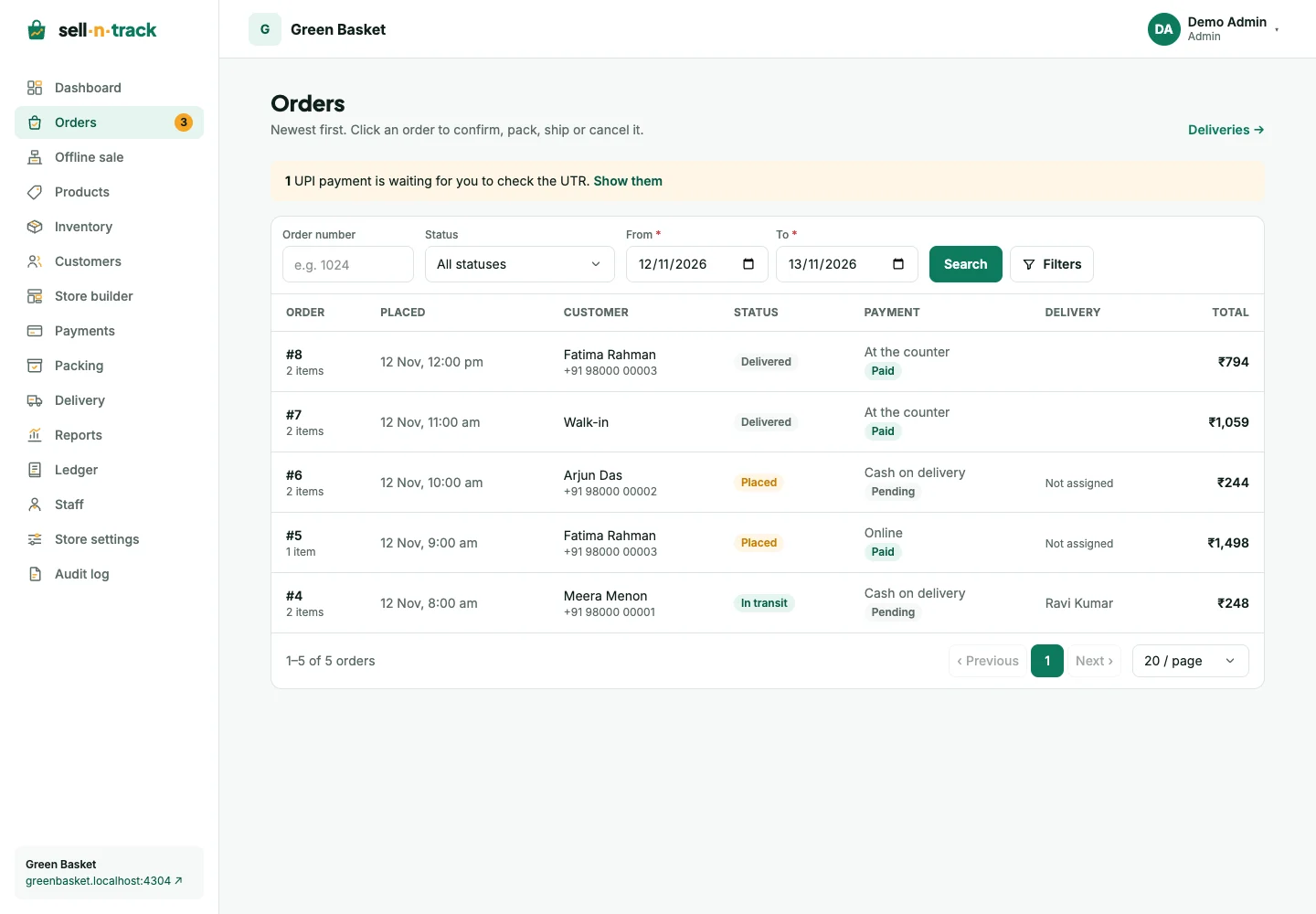
Find an order
Use the order number, status and required From/To dates, then press Search. The default dates cover the last two store days. An exact order number can find an older order outside those dates.
Filters adds phone, payment method/status, packing person, delivery person and online orders awaiting payment. A phone search needs at least three digits. A marker shows extra filters are set; Clear filters removes them.
Choose a page size or page number at the bottom. On a phone, use the page picker. The order's Orders return link keeps the list address, including filters and page.
Confirm and fulfil
For physical goods, the usual path is Placed → Confirmed → Packed → In transit → Delivered. Check payment and item availability before confirming. Hand packing and delivery to the right team members from the order's assignment controls.
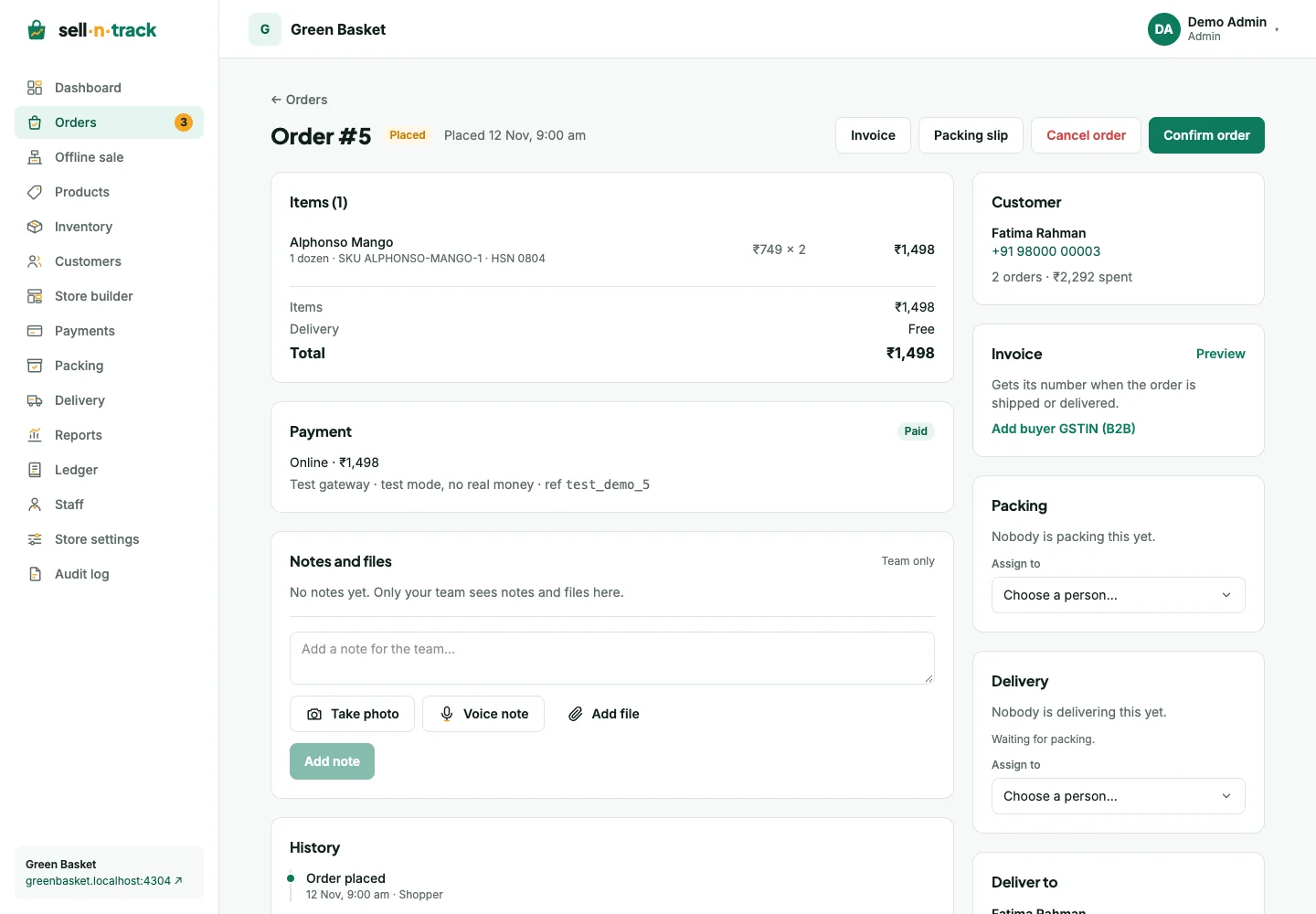
A services-only order is confirmed and then Completed, without packing or delivery. A mixed order still fulfils its physical items.
Payments and documents
Online orders show Awaiting payment until the gateway confirms payment. Direct UPI needs your review of the submitted UTR. A shopper's failed online payment can be retried from their order page.
Before an invoice is issued, its document is a proforma. Shipping issues the invoice; counter sales issue it when completed. Issued documents are available from the order. See Invoices.
Notes and history
Use internal notes for team context. Add permitted photos, PDFs or voice notes where the form offers them. These notes and files are for the team, not the shopper. Status changes and reasons remain in history.
Cancelling and returning goods have different stock and payment consequences. Follow Returns and refunds rather than making an extra stock adjustment.