
Appearance
Customers and shopper accounts
Customer records link a shopper's contact details and addresses to their order history. Shoppers manage their own profile and saved addresses from Account on the storefront.
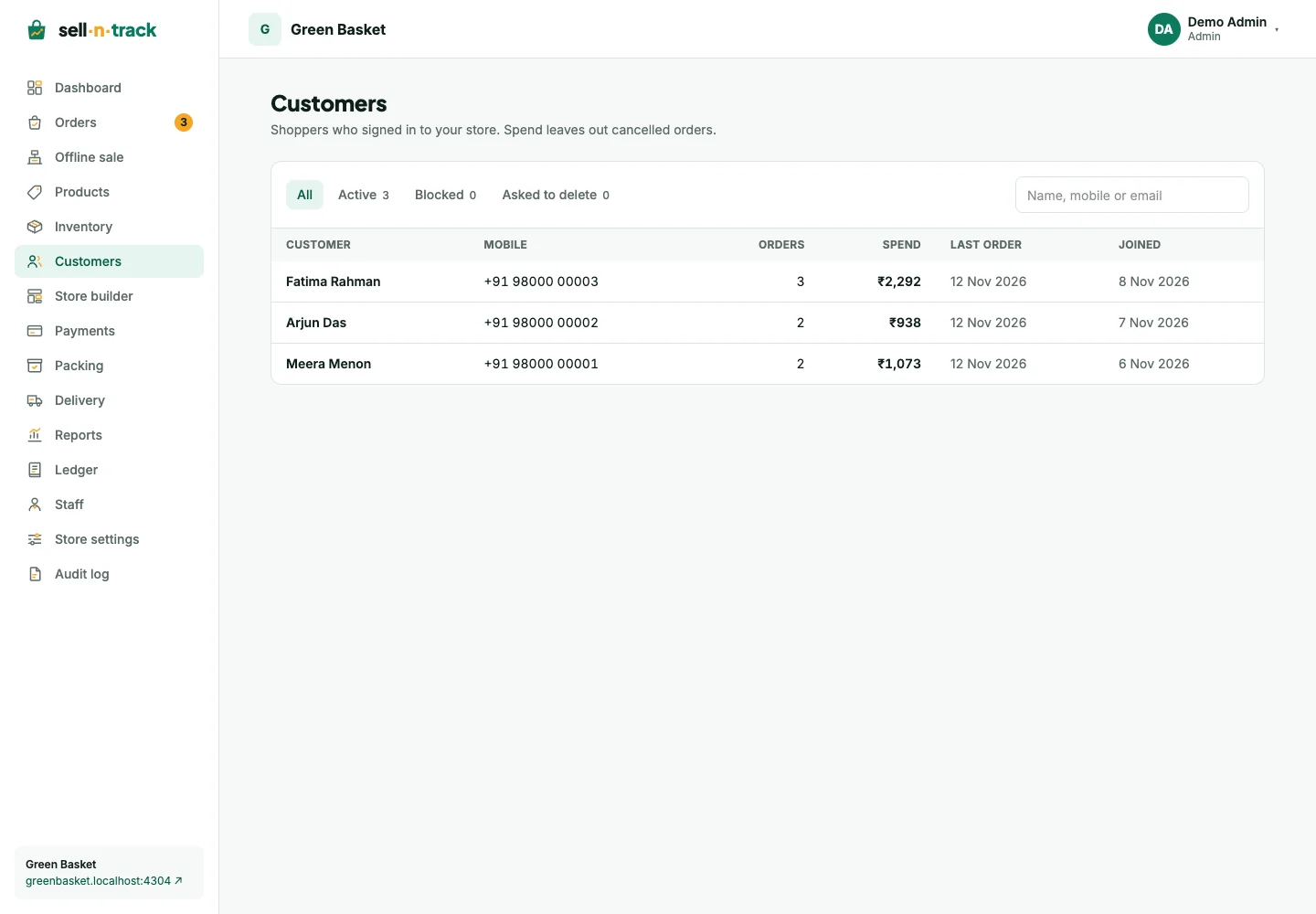
Find a customer
Open Customers, search by name or mobile, then open the record. Check addresses and order history before contacting the shopper or reviewing an order.
A new mobile used for a counter sale can create a customer record too.
What the shopper can do
Shoppers sign in with a mobile number and a one-time code. Their account lets them update a name/email, save up to ten addresses, and request deletion. A saved address can include a Google Maps pin for the delivery person.
Guest carts can merge with a saved cart when the shopper signs in. Checkout still checks stock, quantity limits, delivery area and payment availability.
Block or unblock
An authorised team member can block a customer with a reason. A blocked shopper cannot place new orders and an existing shopper session may need to sign in again after access changes. Unblocking allows them to sign in and order again.
Remove personal details
A deletion request is a request for the store to handle, not an immediate erasure of every record. Finish or cancel open orders before anonymising the customer.
Anonymisation clears identifying profile details, saved addresses and sessions while retaining the required order records with anonymised address data. It cannot be used as a way to remove a sale from reports.
See Orders for fulfilment and Staff and permissions for who can manage customers.